
Disclosure: This post contains Amazon affiliate links. If you buy through our links, we may earn a small commission at no extra cost to you.
Gaming laptops have come a long way.
Three years ago, $1,000 bought you a weak GPU, a 60Hz screen, and a plastic chassis. Today, that same budget gets you an RTX 5060, a 165Hz display, and up to 32GB of DDR5 RAM.
But here’s the problem: the market is packed with options. Many laptops look the same on paper — but perform very differently in real gaming.
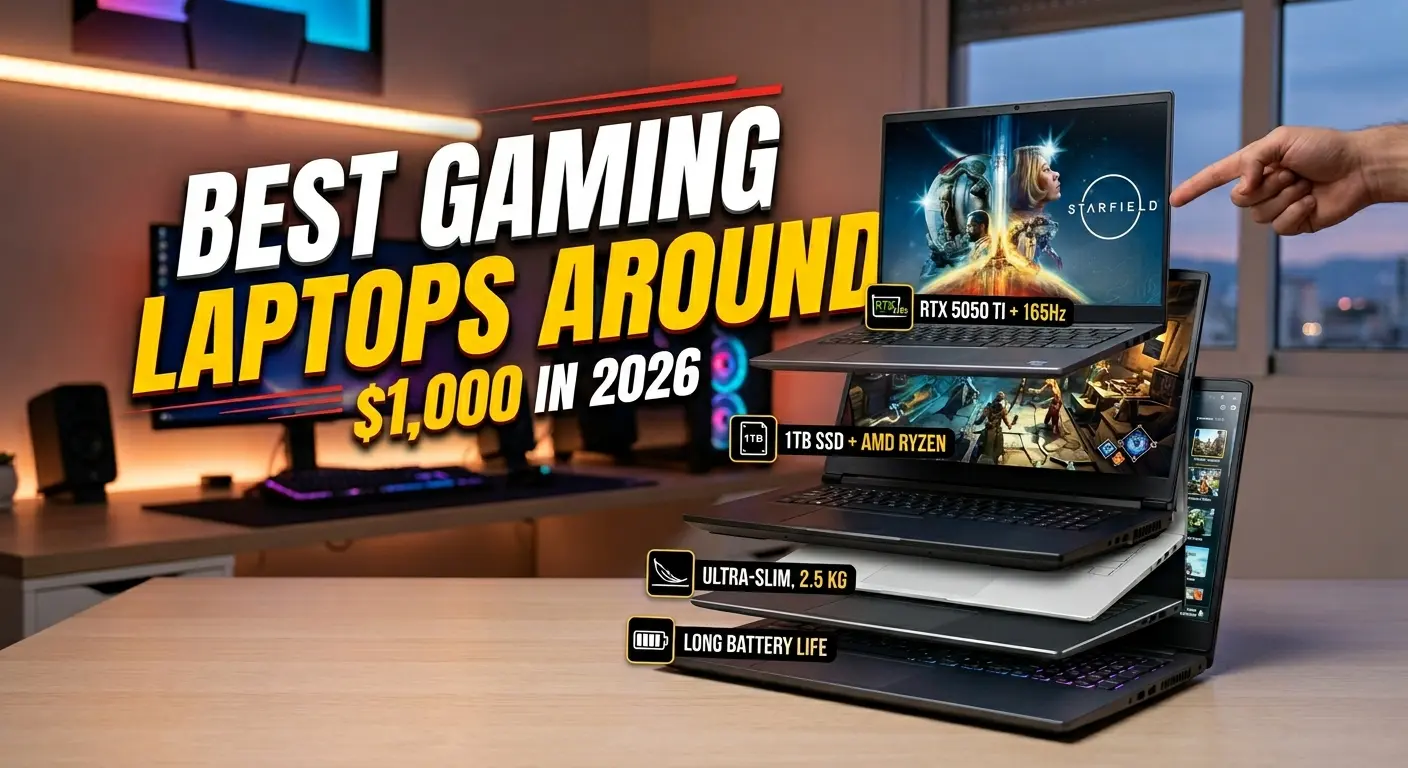
We’ve tested and ranked 7 of the best gaming laptops Around $1,000 in 2026. This guide tells you exactly what to buy — and why.
At a Glance: Best Gaming Laptops Around $1,000 in 2026
| Laptop | GPU | Display | Price | Best For |
|---|---|---|---|---|
| Lenovo Legion 5 Gen 10 | RTX 5060 GDDR7 | 15.1″ OLED 165Hz | $1,180 | Best overall |
| ASUS TUF Gaming A16 | RTX 5060 | 16″ FHD+ 165Hz | $949 | Best durability |
| Acer Nitro V 16 AI | RTX 5060 | 16″ 180Hz IPS | $900 | Best value RTX 5060 |
| MSI Thin 15 | RTX 4060 | 15.6″ FHD 144Hz | $702 | Best for portability |
| HP Victus 15 | RTX 4060 | 15.6″ FHD 144Hz | $829 | Best daily driver |
| Acer Nitro 16 | RTX 4050 | 16″ 165Hz IPS | $800 | Best mid-range value |
| Lenovo LOQ 15 Gen 10 | RTX 5060 | 15.6″ FHD 144Hz | $809 | Best balanced pick |
⚠️ Prices verified on Amazon — May 2026. Always click through to confirm the latest deal before buying.
5 Things That Actually Matter Before You Buy
Most buyers get this wrong.
They look at the GPU name, pick the highest one they can afford, and stop there. That’s a mistake. Here are the 5 things that separate a great budget gaming laptop from a disappointing one.
1. Cooling — More Important Than the GPU Name
An RTX 5060 in a poorly cooled laptop will throttle within 20 minutes of hard gaming. When that happens, performance drops to RTX 4050 levels.
Always check the thermal design before buying. Every laptop in this guide passes that test.
2. GPU Power (TGP) — The Spec Sheet Hides This
Not all RTX 5060 chips are the same. The same GPU can run at 75W or 140W depending on the laptop.
A 115W RTX 5060 is significantly faster than an 80W version. Premium laptops like the Legion 5 run their GPUs at full wattage. Cheaper models cut corners here.
3. RAM — Single Channel vs. Dual Channel
16GB RAM sounds fine. But 16GB in one stick performs worse than 16GB split across two sticks.
Single-channel RAM can cost you 15–20% of your frame rate. It’s a hidden trap in many budget gaming laptops. The picks in this guide ship in dual-channel — or are clearly flagged when they don’t.
4. Match Your Display to Your GPU
Pairing an RTX 4050 with a 2K display is a poor match. The GPU can’t push enough frames to make use of the resolution.
Simple rule:
- RTX 4050 → 1080p display ✅
- RTX 5060 → 1440p display ✅
5. Plan for Storage Growth
AAA games in 2026 often exceed 80–100GB each. A 512GB SSD fills up fast.
Look for laptops with a free M.2 slot to add more storage later. Or just buy the 1TB configuration upfront and save yourself the hassle.
1. Lenovo Legion 5 Gen 10
Price: $1,180 | GPU: RTX 5060 8GB GDDR7 | Display: 15.1″ OLED 165Hz
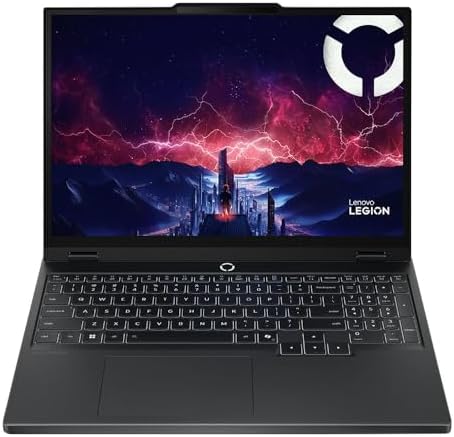
- AMD Ryzen 7 260 Processor (8C / 16T, 3.8 / 5.1GHz, 8MB L2 / 16MB L3)
- NVIDIA GeForce RTX 5060 8GB GDDR7, Boost Clock 2497MHz, TGP 115W, 572 AI TOPS
- 15.3″ WUXGA (1920×1200) 16:10, 165Hz, 300-nits, 100% sRGB, Dolby Vision, Anti-glare, IPS Display, G-SYNC
The Legion 5 Gen 10 is the most impressive gaming laptop at this price in 2026.
It comes with an RTX 5060 using GDDR7 memory — the newer, faster memory standard. That alone makes it more future-proof than last-gen GDDR6 designs.
But the real showstopper is the display.
A 15.1-inch OLED panel. 2560×1600 resolution. 165Hz refresh rate. 500 nits of brightness. 100% DCI-P3 color coverage. Dolby Vision HDR support. This is the kind of screen you’d expect at $1,500 or more. At this price, it’s extraordinary.
Performance matches the display.
The AMD Ryzen 7 260 (8 cores, up to 5.1GHz) is powerful enough for gaming, streaming, and heavy multitasking simultaneously. Lenovo’s Coldfront cooling keeps the GPU running at full power — separate heat pipes for CPU and GPU mean no thermal competition between the two chips.
Port selection is comprehensive: Wi-Fi 7, Bluetooth 5.4, Thunderbolt 4, HDMI 2.1, and a dedicated Ethernet port. Most competing laptops at this price don’t come close.
The 80Wh battery gives 4–6 hours for everyday tasks. Plug in for serious gaming sessions.
Who it’s for: Gamers who demand the best display possible. Content creators who need accurate colors. Anyone who wants GDDR7 future-proofing.
Specs:
- CPU: AMD Ryzen 7 260, 8-core, up to 5.1GHz
- GPU: NVIDIA RTX 5060 8GB GDDR7
- RAM: 16–32GB DDR5-5600
- Storage: 512GB–2TB PCIe Gen 4
- Display: 15.1″ OLED, 2560×1600, 165Hz, 500 nits, 100% DCI-P3
- Battery: 80Wh | Weight: 4.19 lbs
- Ports: Thunderbolt 4, USB-C, USB-A ×3, HDMI 2.1, RJ-45, Wi-Fi 7
✅ Best-in-class OLED display at this price
✅ GDDR7 RTX 5060 for long-term performance
✅ Wi-Fi 7 and Thunderbolt 4
✅ Harman-tuned audio
❌ Base 512GB storage fills up quickly
❌ OLED has long-term burn-in risk with static gaming HUDs
2. ASUS TUF Gaming A16 – Best Build Quality
Price: $949 | GPU: RTX 5060 | Display: 16″ FHD+ 165Hz IPS

- AMD Ryzen 7 7445HS Processor (3.2GHz)
- 16″ Full HD+ 144Hz Display
- NVIDIA GeForce RTX 4050 Graphics
If your laptop spends time in a backpack every day, the TUF A16 is the smart buy.
It’s MIL-STD-810H certified. That means it has passed military-grade tests for drops, vibration, extreme temperatures, and humidity. No other laptop in this guide is built this tough.
The RTX 5060 handles 1080p gaming at high settings with ease. The 16-inch FHD+ display (1920×1200) at 165Hz looks sharp and smooth. The 16:10 aspect ratio gives more vertical screen space — useful for gaming and everyday work alike.
Cooling is a real strength here.
Four heat pipes and a dual-fan system keep the GPU temperature under control. In hour-long gaming sessions, the TUF A16 maintains its performance without throttling. That consistency matters more than peak specs on a spec sheet.
One honest downside: it’s loud. The TUF A16 runs its fans hard under load. In a quiet room, you’ll notice. With headphones on, you won’t care.
The 90Wh battery is the largest in this entire roundup. You get 5–7 hours of everyday use. That makes it a genuine work-and-game machine — not just a laptop you have to keep plugged in at all times.
Who it’s for: Students and commuters who need a durable, tough laptop. Anyone gaming hard and working hard on the same machine every day.
Specs:
- CPU: AMD Ryzen 7 260 / Intel Core i7-14650HX
- GPU: NVIDIA RTX 5060
- RAM: 16–32GB DDR5
- Storage: 1TB PCIe Gen 4
- Display: 16″ FHD+ (1920×1200), 165Hz IPS
- Battery: 90Wh | Weight: 5.07 lbs
- Certification: MIL-STD-810H
✅ Military-grade build quality
✅ Largest battery in this guide (90Wh)
✅ RTX 5060 with strong thermal management
✅ 1TB storage included as standard
❌ Loud fans under gaming load
❌ Heavier than thinner options
❌ FHD+ display, not OLED
3. Acer Nitro V 16 AI – Best Value RTX 5050
Price: $900 | GPU: RTX 5050 | Display: 16″ WUXGA 180Hz IPS
The Acer Nitro V 16 AI packs an RTX 5050 and 16GB DDR5 into a $900 laptop.
That’s the best spec-per-dollar ratio in the RTX 5050 tier — full stop.
The 180Hz display is the fastest refresh rate in this entire guide. That edge above 165Hz is real in competitive games like Valorant, CS2, and Apex Legends. Every extra frame counts in fast-paced multiplayer.
Thermals are competent. Dual fans and adequate heat pipes keep the RTX 5050 running close to its rated wattage in most sessions. It’s not as refined as the Legion 5 cooling system — but it handles real gaming loads without embarrassing throttling.
What are the trade-offs?
The plastic chassis doesn’t feel as premium as the ASUS or Lenovo options. Wi-Fi 6 rather than Wi-Fi 7 is a step down on paper — though for most home setups, you won’t notice the difference. And the design is straightforward — no RGB frills or aggressive styling.
If you care about specs over aesthetics, this is the most rational choice in the RTX 5050 tier at $900.
Who it’s for: Competitive gamers who want the fastest refresh rate at this price. Budget-focused buyers who want maximum hardware for their money.
Specs:
- CPU: AMD Ryzen 7 260
- GPU: NVIDIA RTX 5050 (572 AI TOPS)
- RAM: 16GB DDR5
- Storage: 1TB PCIe Gen 4
- Display: 16″ WUXGA (1920×1200), 180Hz IPS
- Wi-Fi: Wi-Fi 6 | Weight: 5.3 lbs
✅ RTX 5050 + 16GB DDR5 + 512GB SSD at $900 — exceptional value
✅ 180Hz — fastest display in this guide
✅ Dedicated Ethernet port
✅ RAM and storage are upgradeable
❌ Plastic build feels less premium
❌ Wi-Fi 6, not Wi-Fi 7
❌ No distinctive styling or RGB
4. MSI Thin 15 — Best for Portability
Price: $702 | GPU: RTX 3050 | Display: 15.6″ FHD 144Hz IPS
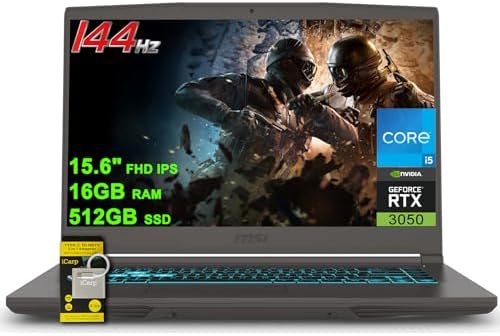
- 16GB RAM | 512GB SSD.
- Equipped With The Most Powerful and Fast 13th Gen Intel 8-core i5-13420H Processor
- 15.6″ FHD (1920 x 1080) IPS 144Hz, Dedicated NVIDIA GeForce RTX 3050 4GB Graphics
Every other laptop in this guide prioritizes raw performance. The MSI Thin 15 makes one bet instead: be the laptop people actually want to carry.
At 4.2 lbs and under 19mm thin, it looks like a business laptop. Nobody at a café table would guess it packs an RTX 3050. That matters if you carry a laptop to class or work every single day.
The RTX 3050 is no pushover. It handles 1080p gaming at high-to-ultra settings across most of the modern game library. It supports DLSS 3 Frame Generation, which effectively doubles frame rates in supported titles. And it ships with proper dual-channel DDR5 — so there’s no hidden RAM penalty dragging down your frame rates.
Be honest with yourself about the trade-offs.
The RTX 3050 is last-generation compared to the RTX 5060 options above. The slim chassis means fans spin fast and loud under full load. And the 53.5Wh battery only lasts around 4–5 hours on everyday tasks.
But at $702 — the cheapest laptop in this guide — those compromises are understandable. For the buyer who values weight and portability above all else, nothing here comes close.
Who it’s for: Students and professionals who commute daily. Anyone who wants 1080p gaming performance in the lightest possible package.
Specs:
- CPU: Intel Core i7-13620H
- GPU: NVIDIA RTX 3050 4GB Graphics
- RAM: 16GB DDR5 (dual-channel)
- Storage: 512GB SSD
- Display: 15.6″ FHD (1920×1080), 144Hz IPS
- Battery: 53.5Wh | Weight: 4.2 lbs | Thickness: ~18.9mm
✅ Lightest and slimmest in this guide
✅ Cheapest option at $702
✅ RTX 3050 with DLSS 3 Frame Generation
✅ Dual-channel DDR5 configured correctly
❌ Last-gen RTX 4060
❌ Loud fans under full load
❌ Smaller battery (53.5Wh)
5. HP Victus 15 — Best Daily Driver That Also Games
Price: $829 | GPU: RTX 4050 | Display: 15.6″ FHD 144Hz anti-glare IPS
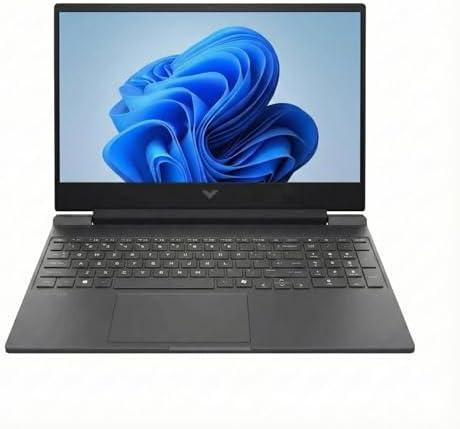
- INTRODUCING THE LAPTOP — The HP Victus 15 is made for peak PC gaming. It features the AMD Ryzen 7 7000 series processor….
- POWERFUL PERFORMANCE — Packed with the AMD Ryzen 7 7445HS (6 cores, up to 4.7 GHz) and NVIDIA GeForce RTX 4050 6GB GPU, …
- VIBRANT VISUALS — Dive into every detail on the 15.6″ FHD display with a blazing-fast 144Hz refresh rate. It features mi…
Most gaming laptops announce themselves loudly — sharp angles, aggressive RGB, and bold branding.
The HP Victus 15 doesn’t do that.
Its clean aluminum design fits naturally in a classroom, meeting room, or coffee shop. From the outside, it looks like a professional laptop. Open it up, load a game, and the RTX 4050 takes care of the rest.
It’s designed for people who live on their laptop.
The B&O-tuned speakers deliver the richest audio of any laptop in this guide. The anti-glare display coating cuts reflections in bright rooms and near windows. Fast charging hits 50% in 30 minutes — perfect for busy days when there’s no time for a full charge.
Under gaming load, the Victus runs quieter than the TUF A16 and MSI Thin 15. A real advantage if you game near roommates, in dorms, or in shared living spaces.
The RTX 4050 handles 1080p gaming at high settings comfortably. Competitive titles hit 100+ FPS consistently. Demanding AAA games run well with DLSS Quality mode enabled.
Who it’s for: College students and hybrid workers who want one laptop for everything. Anyone who needs a professional-looking machine by day and a capable gaming rig by night.
Specs:
- CPU: Intel Core i7-14650HX
- GPU: NVIDIA RTX 4050 6GB GDDR6
- RAM: 16GB DDR5
- Storage: 512GB SSD
- Display: 15.6″ FHD (1920×1080), 144Hz, anti-glare IPS
- Audio: B&O-tuned speakers
- Weight: 4.85 lbs
✅ Professional design for work and class
✅ Best audio in this roundup (B&O)
✅ Anti-glare display for bright environments
✅ Fast charging (50% in 30 minutes)
✅ Quieter than most rivals under load
❌ 512GB base storage
❌ RTX 4050, not RTX 5060
❌ No Ethernet on base configuration
6. Acer Nitro 16 — Best Gaming Laptop Under $800
Price: $800 | GPU: RTX 4050 | Display: 16″ WUXGA 165Hz IPS

- The Acer Nitro 16 gaming laptop with DLSS 3 gives you all the latest tech, so you can chat, browse, stream, edit, record…
- Do What You Do With Superior Performance: The 13th Gen Intel Core i5-13500H processor goes beyond performance to let you…
- Beyond Fast: The NVIDIA GeForce RTX 4050 Laptop GPU is beyond fast for gamers and creators. They’re powered by the ultra…
The Acer Nitro 16 is one of the most popular gaming laptops on Amazon — and at $800, it’s easy to see why.
You get a 16-inch 165Hz display in the wider 16:10 format. That taller screen gives you more space for gaming and productivity compared to a standard 16:9 panel. It’s one of the better budget gaming displays available at this price.
The RTX 4050 runs esports titles, indie games, and older AAA releases without issue. For the newest and most demanding 2026 titles, you’ll need to lower settings — but at 1080p medium-high, most games run comfortably above 60 FPS.
One critical warning before you buy:
Many base Acer Nitro 16 configs on Amazon ship with 8GB DDR5 in a single stick. This is a serious performance handicap. Always choose a 16GB dual-channel configuration. If you’ve already bought one with 8GB single-channel, add a matching 8GB stick (around $20) immediately — it’s the single best upgrade you can make.
Who it’s for: First-time gaming laptop buyers. Casual gamers focused on esports and older titles. Anyone who wants a large 16-inch 165Hz screen without spending $900 or more.
Specs:
- CPU: AMD Ryzen 5 7640HS (6-core)
- GPU: NVIDIA RTX 4050 6GB
- RAM: 8GB or 16GB DDR5 — always choose 16GB dual-channel
- Storage: 512GB PCIe Gen 4
- Display: 16″ WUXGA (1920×1200), 165Hz IPS
- Wi-Fi: Wi-Fi 6E | Weight: 5.5 lbs
✅ 16-inch 165Hz 16:10 display at $800
✅ Wi-Fi 6E and dedicated Ethernet
✅ RAM and storage easily upgradeable
✅ Strong entry-level gaming performance
❌ RTX 4050 limits demanding 2026 games
❌ Base 8GB single-channel RAM — upgrade immediately
❌ Heavier and bulkier chassis
7. Lenovo LOQ 15 Gen 10 — Best Mid-Range Balance
Price: $809 | GPU: RTX 4050 | Display: 15.6″ FHD 144Hz IPS

- 【Processor】 Intel Core i5-12450HX Processor (8 Cores, 12 Threads, 12+MB Intel Smart Cache, Base Frequency at 2.4 GHz, Up…
- 【Graphics】NVIDIA GeForce RTX 2050 4GB GDDR6.
- 【Display】 15.6 inch Non-Touch Display, 144Hz, FHD (1920 x 1080), IPS, anti-glare, 300 nits, Low Blue Light.
The Lenovo LOQ 15 sits between the Acer Nitro and the Legion 5 in Lenovo’s lineup. At $809, it’s one of the most sensible buys in this entire guide.
It’s the cheapest way to get an RTX 4050 in a Lenovo chassis with proper cooling.
That cooling is the key advantage. Lenovo uses a version of its Coldfront thermal system here — adapted from the premium Legion line. In real testing, the RTX 4050 in the LOQ runs closer to its rated wattage than in cheaper Acer or MSI designs. The result: more consistent frame rates over long gaming sessions, not just impressive numbers in a 10-minute benchmark.
The 15.6-inch FHD 144Hz display is accurate and smooth for everyday gaming. It doesn’t reach the OLED quality of the Legion 5 or the 180Hz of the Nitro V — but for the price, it’s solid.
The 512GB base storage is the main compromise. Budget around $50 for a second M.2 SSD when you buy.
Who it’s for: Buyers who want RTX 4050 performance and Lenovo build quality without paying for the Legion 5’s OLED premium. Long-session gamers who need stable, un-throttled performance.
Specs:
- CPU: AMD Ryzen 7 250
- GPU: NVIDIA RTX 4050
- RAM: 16GB DDR5
- Storage: 512GB PCIe Gen 4 (free M.2 slot for expansion)
- Display: 15.6″ FHD (1920×1080), 144Hz IPS
- Battery: 80Wh
✅ RTX 4050 for under $810 — best price in this tier
✅ Lenovo Coldfront cooling for stable long-session performance
✅ Solid Lenovo build quality
✅ Free M.2 slot for easy storage upgrade
❌ FHD 1080p only — no OLED option
❌ 512GB base storage is tight
RTX 4060 vs RTX 5060 in 2026: Which Should You Choose?
This is the most important question in the sub-$1,200 gaming laptop market right now. Here’s the honest answer:
Choose RTX 5060 if:
- You’re buying new and plan to keep the laptop 3+ years
- You want GDDR7 memory (faster bandwidth for future titles)
- You play demanding AAA titles and want headroom at 1440p or 1080p ultra settings
- The price difference to an RTX 4060 laptop is $50–$100 or less
Choose RTX 4060 if:
- You find a significantly discounted RTX 4060 laptop (>$150 cheaper than comparable RTX 5060 options)
- You primarily play esports, indie, or competitive titles that don’t push GPU limits
- DLSS 3 Frame Generation support is important to you (available on RTX 4060 — check RTX 5060 support on specific titles)
- Portability matters and the MSI Thin 15’s form factor suits your needs
At current Amazon pricing, the gap between RTX 4060 and RTX 5060 laptops has narrowed to $50–$100 in most configurations. At that margin, the RTX 5060 with GDDR7 is the better investment for a machine you plan to use for 3–4 years.
Who Should Buy Which Laptop: Quick Decision Guide
You’re a student who needs one laptop for everything: → HP Victus 15 (~$799) or ASUS TUF A16 (~$999)
You want the absolute best display at this price: → Lenovo Legion 5 Gen 10 (~$899–$999) — that OLED at this price is unmatched
You travel daily and care about weight: → MSI Thin 15 (~$849) — nothing beats it for portability Around $1,000
You want RTX 5060 on the tightest budget: → Acer Nitro V 16 AI (~$899) or Lenovo LOQ 15 Gen 10 (~$849)
You’re on a strict budget Around $750: → Acer Nitro 16 (~$699–$749) — just upgrade the RAM to 16GB dual-channel first
You need military-grade durability for a rough commute: → ASUS TUF A16 (~$999)
Gaming Laptop Around $1000: Frequently Asked Questions
What is the best gaming laptop Around $1000 in 2026? The Lenovo Legion 5 Gen 10 is the best overall gaming laptop Around $1,000 in 2026. It combines an RTX 5060 with 8GB GDDR7, an OLED 2560×1600 165Hz display at 500 nits, 16–32GB DDR5 RAM, and Wi-Fi 7 in a well-built chassis starting from 1180$ . No other laptop at this price offers this display quality. The ASUS TUF Gaming A16 is the best pick if durability is your top priority.
Is an RTX 5060 laptop worth buying Around $1000 in 2026? Yes. The RTX 5060 with GDDR7 is meaningfully faster than the RTX 4060, especially at 1440p and in VRAM-heavy modern titles. In 2026, you can find RTX 5060 laptops Around $1,000 from Lenovo, ASUS, and Acer — making it the new baseline recommendation for anyone buying new. The RTX 4060 remains excellent for 1080p gaming and is worth buying at a significant discount ($100+ cheaper than comparable RTX 5060 options).
Can a $1000 gaming laptop run games at 1080p high settings? Yes, comfortably. An RTX 5060 laptop Around $1,000 runs the vast majority of current and recent titles at 1080p high-to-ultra settings at 60+ FPS. For competitive titles (CS2, Valorant, Fortnite), expect 100–165+ FPS at 1080p medium-high. For demanding AAA titles (Cyberpunk 2077, Alan Wake 2), expect 50–70 FPS at 1080p high settings with DLSS Quality.
How much RAM do I need in a gaming laptop Around $1000? 16GB DDR5 in dual-channel is the minimum for a smooth gaming experience in 2026. Most current AAA games recommend 16GB, and having dual-channel configuration significantly improves GPU performance in integrated graphics scenarios. 32GB is ideal if you stream while gaming, use creative applications, or want to future-proof for 3+ years.
What’s the best gaming laptop for college students Around $1000? The HP Victus 15 (~$799) and ASUS TUF Gaming A16 (~$999) are the top picks for college students. The Victus offers a professional design, B&O audio, anti-glare display, and fast charging — practical daily-use advantages. The TUF A16 is the better choice if your laptop will spend time in a backpack and needs to survive bumps and drops.
Should I buy a gaming laptop now or wait for better models? In 2026, the sub-$1,000 gaming laptop market has matured to a point where buying now makes sense for most buyers. RTX 5000-series laptops are available at Around $1,000, and the performance per dollar has never been better. Waiting for the next generation (RTX 6000 series, expected 2027) means 12+ months without a laptop upgrade. Unless you can specifically wait, the current market offers excellent value.
Can gaming laptops Around $1000 be used for video editing? Yes — with the right pick. The Lenovo Legion 5 Gen 10’s OLED display with 100% DCI-P3 coverage is exceptional for color-accurate video editing. The RTX 5060 handles hardware-accelerated encoding in Premiere Pro and DaVinci Resolve efficiently. 32GB RAM configurations are recommended for heavy video editing workloads.
Also read on MesterDeals:
- 🎮 ASUS ROG Ally X Review: Best Handheld Gaming PC in 2026?
- 💻 Best USB-C Hubs for MacBook in 2026 – 7 Tested & Ranked
Last updated: May 2026 | MesterDeals.com This article contains Amazon affiliate links. Prices and availability are subject to change — always check Amazon for the latest pricing.