
Disclosure: This post contains Amazon affiliate links. If you buy through our links, we may earn a small commission at no extra cost to you.
There’s a paradox at the heart of the Kindle Scribe. Amazon has built one of the most enjoyable devices in the e-reader market — beautiful display, remarkably light, weeks of battery life, and access to the world’s largest digital bookstore. And yet, for a device with “Scribe” in the name, the note-taking experience is still playing catch-up.
That tension is what makes the Kindle Scribe so interesting to review in 2026. The latest generation — sometimes referred to as the Kindle Scribe 2025/2026 depending on your region — brings a larger 11-inch display, a slimmer and lighter chassis, new AI-powered notebook tools, and a writing experience that is noticeably faster and more refined than the original 2022 model.
But is it worth buying if you’re new to e-ink tablets? And more importantly — is it worth upgrading if you already own a previous Kindle Scribe? We’ve gone deep on the specs, features, and real-world performance to give you a clear, honest answer.
Quick Verdict
The Kindle Scribe (2025/2026) is the best all-around e-ink tablet for people who primarily want to read but also want capable note-taking in the same device. The 11-inch display is exceptional, the writing experience is fast and satisfying, and the AI notebook tools add genuine utility. For avid readers who also journal, annotate PDFs, or take light notes, it’s hard to beat at this price.
For existing Kindle Scribe (2022) owners, the upgrade is harder to recommend — the core experience is similar enough that the improvement will feel incremental rather than transformative. For first-time buyers and owners of the original 2022 model who write heavily, this is the version to get.
Best for: Avid readers who want note-taking capability, students who annotate documents, professionals who journal or take meeting notes, and anyone who wants weeks of battery life in a distraction-free device.
Not ideal for: Power note-takers who need advanced organization workflows (try the reMarkable 2), anyone wanting app flexibility and multimedia (try the iPad), or budget-conscious buyers (the Kindle Paperwhite is $160 and covers reading brilliantly).

- A digital notebook for all your writing needs – Replace your stack of notebooks with a single device purpose-built for w…
- With AI tools to transform your notes – Convert messy handwriting into readable font, summarize your notes, and change t…
- Feels like pen on paper – See, feel and hear your thoughts meet the page with every stroke of the Premium Pen. No need t…
Kindle Scribe 2026: Key Specs at a Glance
| Spec | Detail |
|---|---|
| Display | 11″ E Ink, 300 PPI, glare-free |
| Display Surface | Textured glass — paper-like feel |
| Thickness | 5.4mm |
| Weight | 400g |
| Storage Options | 16GB / 64GB |
| Included Pen | Premium Pen (no charging required) |
| Front Light | Yes — auto-adjusting warm/cool |
| Bluetooth | Yes (for Audible audiobooks) |
| Battery Life | Weeks (up to 12 weeks at 30 min/day reading) |
| Charging | USB-C |
| AI Features | Notebook summarization, note search, text conversion |
| Cloud Integration | Microsoft OneNote, Send to Kindle |
| Price (16GB) | ~$419 |
| Price (64GB) | ~$469 |
Design & Build: Lighter Than You’d Expect
The first thing you notice when you pick up the new Kindle Scribe is how light it is. At just 400 grams and 5.4mm thin, it’s redesigned for comfort — and it shows. The Scribe is so light in-hand that it makes the 11-inch iPad Air feel bulky in comparison.
The aluminum chassis gives it a premium, sturdy feel. White borders now surround the E Ink display, making the screen feel more paper-like and less like an electronics device. The bezels are thick enough to hold the device comfortably without accidentally touching the display — a thoughtful ergonomic choice that’s easy to overlook until you use a device that gets it wrong.
The flat left edge provides a place to attach and magnetically store the included Premium Pen, similar to Apple Pencil on iPad. The magnet is reasonably secure for desk use but will release if the device gets a sharp shake — not quite as confident as the Apple Pencil’s attachment. The pen requires no charging and no Bluetooth pairing, which is a meaningful convenience advantage.
Controls are minimal: a power button and USB-C port on the side, nothing else. The device runs a clean, distraction-free version of the Kindle software — no notifications, no social media, no apps. That singular focus is part of the appeal for many users who specifically want to escape their phone’s pull.
One design note worth flagging: at this size and price, the Kindle Scribe doesn’t include a case. A good folio case is a smart accessory purchase — it protects the glass display and makes it easier to hold for extended reading sessions. Budget around $25–$40 for a quality case from Amazon when calculating your total spend.
The Display: Genuinely Exceptional
The Kindle Scribe’s 11-inch, 300 PPI E Ink display is one of its strongest selling points — and one area where it has a clear, measurable advantage over its main rival, the reMarkable 2.
At 300 PPI, the display is sharper than the reMarkable 2’s 226 PPI screen, delivering noticeably crisper text for reading. The difference is most visible in smaller font sizes and when reading documents with fine print. For long reading sessions — the core use case of the Scribe — sharper text translates directly to less eye strain.
The textured glass surface creates a satisfying, paper-like friction when writing — a meaningful improvement over smooth glass surfaces that feel like writing on a whiteboard. The texture-molded glass display creates a nice amount of friction when you write. Combined with the included Premium Pen’s pressure sensitivity, the result is a writing surface that genuinely earns the “paper-like” description more than most competitors.
The front light is adjustable between cool and warm tones, with automatic brightness adjustment based on ambient lighting. This is something the reMarkable 2 doesn’t offer at all — that device has no front lighting, making it unusable in dim environments without an external light source. The Kindle Scribe’s front light makes it a practical choice for reading in bed, in dimly lit cafés, or on evening flights.
Compared to the original 2022 Kindle Scribe, the 2026 model’s display sits closer to the device’s bezel, reducing the drop shadow effect around the display edges and making the screen feel more integrated. The newer display also appears slightly brighter, with a cleaner white background compared with the darker gray tone often associated with earlier E Ink panels.
Writing Experience: Fast, Fluid, and Genuinely Improved
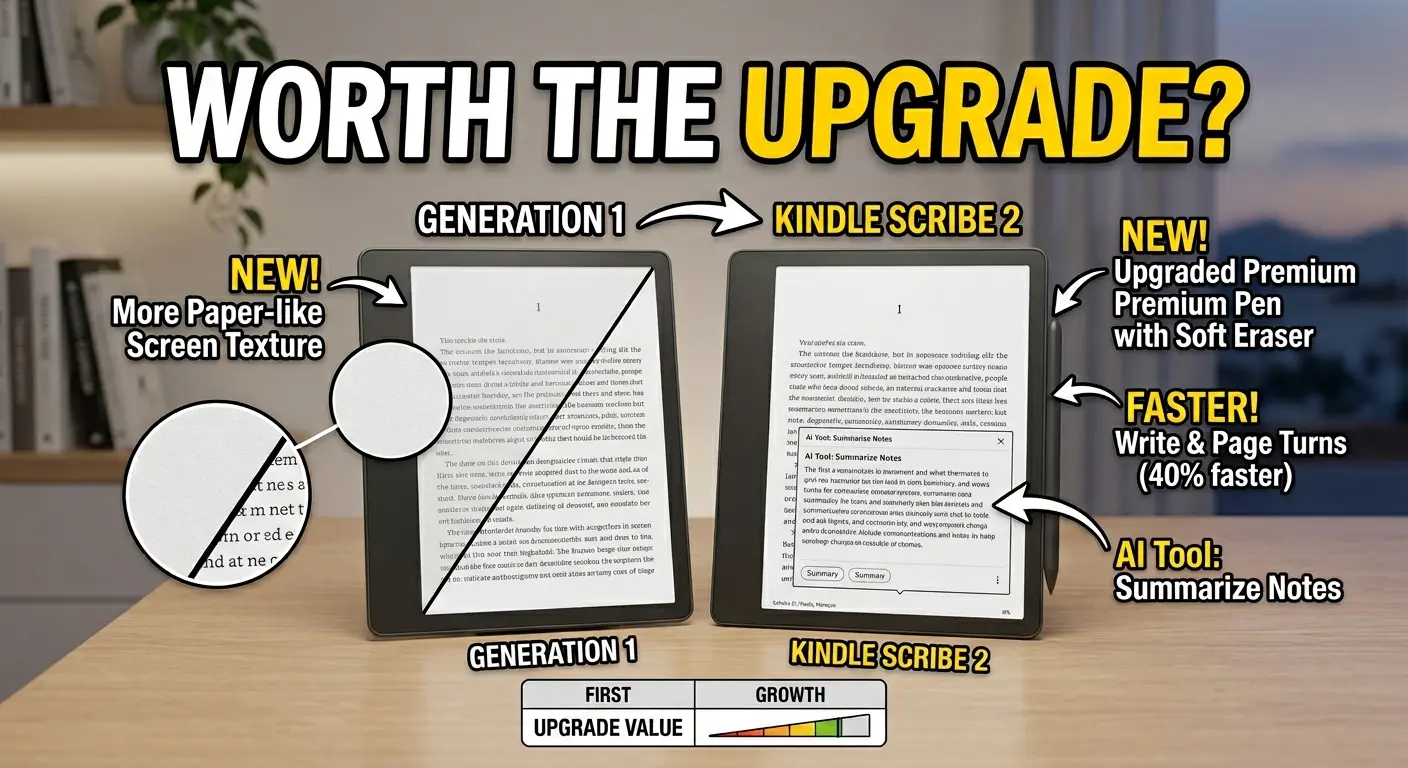
At just 5.4mm thin and 400g light, the Scribe is redesigned for comfort, with a larger 11″ display, and 40% faster writing and page turns compared to the 2022 original — and that speed improvement is palpable in real use.
Writing is generally satisfying thanks to the chunky included stylus and how there’s virtually no lag when you write. The Premium Pen has a reassuring weight and thickness that makes it feel more like a real pen than the thin, light styluses included with many competitor tablets. The tip responds to pressure variation naturally, allowing thicker lines with more pressure and finer lines with a lighter touch — essential for expressive handwriting or sketching.
The pen also includes a shortcut button on the shaft and an eraser at the top. The shortcut button lets you highlight passages by default — and you can head into system settings and change it to perform other actions, such as changing the lines produced to simulate a pen or pencil.
AI-Powered Notebook Tools
This is where the 2025/2026 Kindle Scribe meaningfully separates itself from its predecessor. The built-in notebook uses AI-powered tools to let you find information even if you don’t remember exact keywords, and ask questions about your notes to uncover insights.
In practical terms, this means you can:
- Search handwritten notes by content, not just by filename — a genuinely useful feature for anyone with dozens of notebooks
- Summarize pages of notes into bullet points with a single tap
- Convert handwriting to typed text and export it
- Share notes to Microsoft OneNote for editing on any device
- View notes on your smartphone via the Kindle app
The AI summarization is the standout feature. Writing a page of notes and having the device intelligently condense them into structured bullet points — without sending them to a third-party AI service — works better than expected. It’s particularly valuable for meeting notes, lecture notes, and journaling, where a condensed summary is often more useful than re-reading full handwritten pages.
One important note: AI reading features — Story So Far for spoiler-free book catch-ups and Ask This Book for in-text questions — will roll out in 2026 via software updates, so these aren’t available yet but are on the way as free updates.
The Annotation Limitation — An Honest Caveat
Here’s where the Kindle Scribe’s identity tension shows up most clearly. While the Scribe allows you to mark up PDFs and other documents, you can’t write in the margins while reading Kindle books in the traditional sense — there’s an extra step required to see notes, which feels a bit inconvenient.
This is a fundamental limitation that Amazon hasn’t fully resolved. If you buy the Scribe expecting to write freely in the margins of a novel exactly as you would in a physical book, you’ll encounter an extra layer of interaction that breaks immersion slightly. For PDF annotation — academic papers, business documents, textbooks — the experience is much more natural. For Kindle book annotation, it’s functional but not seamless.
Reading Experience: Still the Best E-Reader on the Market
Whatever its note-taking limitations, the Kindle Scribe is an extraordinary e-reader. Access to Amazon’s massive Kindle library, Kindle Unlimited, and Audible audiobooks (via Bluetooth headphones) gives it a content depth that no competitor can match.
The 11-inch display provides noticeably more reading real estate than the Kindle Paperwhite’s 7-inch screen — particularly valuable for reading magazines, graphic novels, academic papers, and technical PDFs where the extra canvas makes a real difference.
Page turns on the 2026 model are notably faster than the 2022 original, contributing to a more fluid, natural reading experience. The auto-adjusting front light handles transitions between bright and dim environments smoothly, eliminating the need to manually fiddle with brightness settings throughout the day.
Battery life is a standout: Amazon claims up to 12 weeks at 30 minutes of daily reading. With heavier mixed use — a combination of reading and writing — expect something closer to 3–5 weeks between charges, which is still exceptional compared to any tablet or laptop.
Kindle Scribe vs reMarkable 2: Which Should You Buy?
This is the most common question for serious e-ink tablet shoppers. Here’s the honest breakdown:
| Feature | Kindle Scribe (~$419) | reMarkable 2 (~$399 + pen) |
|---|---|---|
| Display | 11″, 300 PPI, front lit | 10.3″, 226 PPI, no backlight |
| Writing feel | Smooth, low friction | High friction, closest to paper |
| Reading library | Full Kindle store + Unlimited | Limited — no bookstore |
| AI notebook tools | Yes | No |
| Storage | 16GB or 64GB | 8GB |
| Battery | Up to 12 weeks | Up to 2 weeks |
| Cloud storage | Free | Requires paid subscription |
| Pen included | Yes (Premium Pen) | No — purchased separately |
| Note organization | Basic notebooks + subfolders | Advanced nested folders + tags |
| Price (all-in) | ~$419 | ~$460+ (pen + subscription) |
Choose the Kindle Scribe if: You read books regularly and want note-taking as a secondary feature, you use the Kindle ecosystem, you want front lighting for reading in any environment, you want better battery life, and you’d rather not pay for a recurring subscription.
Choose the reMarkable 2 if: Note-taking is your primary use case, you want the most paper-like writing friction available, you prefer advanced document organization with folders and tags, and you use Google Drive, OneDrive, or Dropbox heavily.
For most people who describe themselves as primarily readers who also want to take notes, the Kindle Scribe wins clearly. If you want to read books in the dark, require a laser-crisp 300 PPI display, and prefer a robust, subscription-free Amazon ecosystem, the Kindle Scribe is the clear winner.
Is It Worth Upgrading From the 2022 Kindle Scribe?
This is the question most existing Scribe owners are asking in 2026. The honest answer is: probably not, unless writing speed is a frustration for you.
The 2026 Kindle Scribe represents a careful refinement rather than a dramatic leap forward. Reading and note-taking features remain almost identical between generations. For existing owners, the improvements are unlikely to change everyday workflows.
The headline improvements — larger 11-inch display (up from 10.2 inches), 40% faster writing and page turns, lighter chassis, AI notebook tools — are real and meaningful. But if your 2022 Scribe is working well and you’re happy with the note-taking experience, the upgrade isn’t urgent.
Upgrade if: The writing lag on your 2022 Scribe frustrates you regularly, you actively want the AI summarization tools, or the larger screen is meaningful for your PDF work.
Wait if: You’re happy with the day-to-day experience on your 2022 model, or you’re hoping for a more dramatic overhaul of the annotation-in-books experience.
16GB vs 64GB: Which Storage Should You Buy?
The Kindle Scribe comes in two storage tiers — 16GB (~$419) and 64GB (~$469). Here’s how to decide:
Choose 16GB if: You mainly read Kindle books (each book is only 1–5MB) and take light notes. The 16GB model holds thousands of books and years of notebooks without coming close to filling up.
Choose 64GB if: You regularly load PDF-heavy documents (academic papers, business reports, textbooks), have a large library of downloaded books for offline use, or plan to store years of dense handwritten notebooks. PDFs are significantly larger than Kindle books and can eat through storage quickly.
For most casual users, 16GB is sufficient. For students, professionals, or heavy PDF readers, the 64GB model is worth the extra $50 for peace of mind.
Kindle Scribe vs iPad: Different Tools for Different Jobs
A common question from first-time buyers: why not just use an iPad?
The iPad is a more capable device outright — it runs apps, handles video, enables multitasking, and supports Apple Pencil with a full creative suite. But that versatility is also its weakness for reading and note-taking: the same apps and notifications that make the iPad powerful also make it distracting.
The Kindle Scribe’s E Ink display is also dramatically easier on the eyes for long reading sessions — no backlight glare, no blue light fatigue, and a paper-like surface that doesn’t cause the screen fatigue associated with LCD and OLED displays. Battery life at 3–12 weeks versus the iPad’s 10 hours of screen-on time is not a close comparison.
If you want a device purely for reading and focused note-taking, the Kindle Scribe is the better tool. If you want a device for note-taking, creative work, productivity apps, video, and reading, the iPad is the right call.
Our Verdict
📖 MesterDeals Rating: 8.6 / 10
The Kindle Scribe (2025/2026) is the best reading-first e-ink tablet available in 2026. The 11-inch, 300 PPI front-lit display is best-in-class for reading. The writing experience is fast, low-latency, and satisfying, with meaningful AI notebook tools that add genuine daily utility. Battery life measured in weeks, not hours, and deep integration with the Kindle ecosystem make it a compelling all-in-one device for readers who also write.
Its key limitations — the clunky book annotation workflow and less advanced note organization than the reMarkable 2 — are real, and worth knowing before you buy. But for the majority of people who primarily want a great e-reader that also handles note-taking, the Kindle Scribe delivers exactly that at a price that undercuts the full reMarkable 2 bundle.
Pros
- ✅ Exceptional 11″ 300 PPI display — sharpest in its class
- ✅ Front lighting for reading in any environment
- ✅ 40% faster writing and page turns than the 2022 model
- ✅ Genuine paper-like texture on the display surface
- ✅ AI notebook summarization, search, and text conversion
- ✅ Up to 12 weeks battery life
- ✅ Premium Pen included — no separate purchase needed
- ✅ Free Kindle cloud storage — no subscription required
- ✅ Access to the world’s largest e-book library
- ✅ Lighter and thinner than the original Scribe
Cons
- ❌ Book annotation workflow is clunky — not true margin writing
- ❌ Note organization less powerful than reMarkable 2
- ❌ Expensive for an e-reader — starts at $419
- ❌ No case included — add $25–$40 to your budget
- ❌ AI reading features (Ask This Book, Story So Far) not yet available
- ❌ Upgrade from 2022 model is incremental, not transformative
Frequently Asked Questions
Is the Kindle Scribe worth buying in 2026? Yes — if you’re a regular reader who also wants to take notes, journal, or annotate documents in one device. The 2025/2026 Kindle Scribe offers the best reading display in its class, a fast and satisfying writing experience, AI notebook tools, and weeks of battery life. It’s the best all-around e-ink tablet for reader-first users. If pure note-taking is your priority, consider the reMarkable 2 instead.
What’s the difference between the Kindle Scribe 2022 and 2025/2026? The 2025/2026 model increases the screen from 10.2 to 11 inches, reduces weight from 433g to 400g, reduces thickness from 5.8mm to 5.4mm, improves writing speed by 40%, adds AI notebook tools (summarization, search, handwriting-to-text), and redesigns the display with a whiter background and reduced shadow at the edges. Core reading and note-taking functionality remains similar between generations.
How does the Kindle Scribe compare to the reMarkable 2? The Kindle Scribe wins on display sharpness (300 vs 226 PPI), front lighting, battery life (up to 12 weeks vs 2 weeks), storage (up to 64GB vs 8GB), content library (full Kindle store), and overall value (pen included, no subscription). The reMarkable 2 wins on writing feel (highest friction, closest to real paper) and note organization (advanced nested folders and tags). For reading-first users, the Scribe is better. For writing-first users, the reMarkable 2 is better.
Should I buy the 16GB or 64GB Kindle Scribe? The 16GB model is sufficient for most users — Kindle books are small files and thousands fit comfortably on 16GB. Choose 64GB if you regularly load large PDFs (academic papers, textbooks, business reports), want to store your entire book library offline, or plan to build a large archive of handwritten notebooks over several years.
Can the Kindle Scribe replace an iPad for note-taking? For focused, distraction-free note-taking and reading, yes. The Kindle Scribe’s E Ink display is easier on the eyes for long sessions, the battery lasts weeks rather than hours, and the absence of apps means fewer distractions. For versatile productivity — apps, multitasking, video, creative work — the iPad remains more capable. They serve different use cases rather than directly replacing each other.
Does the Kindle Scribe work without a Wi-Fi connection? Yes. Downloaded books, notes, and notebooks are all stored locally and accessible without Wi-Fi. You need an internet connection to purchase and download new books, sync notes to the cloud, or use AI features that require cloud processing.
Is the Kindle Scribe good for students? Yes, with one caveat. Students who primarily annotate PDFs (textbooks, papers, lecture slides) will find the Kindle Scribe excellent — PDF annotation is fluid and the 11-inch display provides ample canvas. Students who need advanced note organization across multiple subjects may find the reMarkable 2’s folder-and-tag system more practical for heavy academic use.
Also read on MesterDeals:
- 🎧 Apple AirPods 4 Review: Best Earbuds for iPhone in 2026?
- 💻 Best USB-C Hubs for MacBook in 2026 — 7 Tested & Ranked